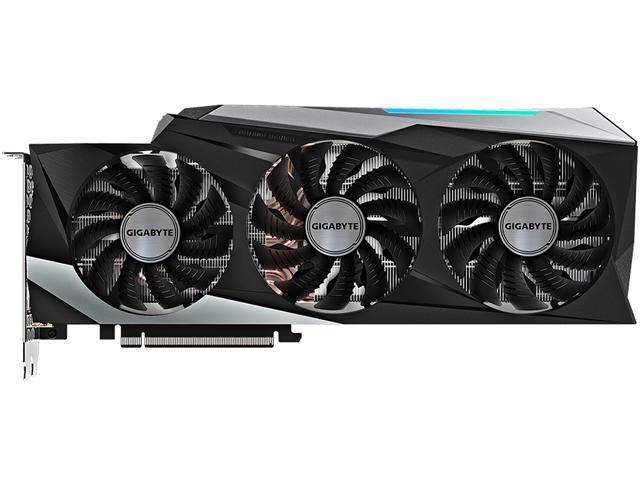

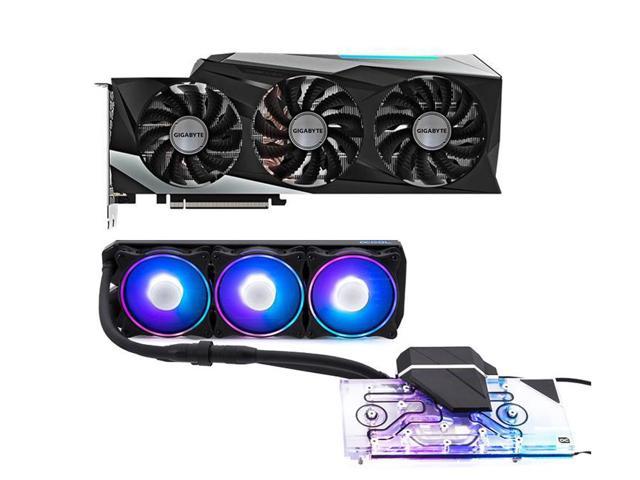
GIGABYTE AORUS GeForce RTX 2080 Ti XTREME WATERFORCE WB 11G Graphics Card, Pre-Installed Waterblock, 11GB 352-Bit GDDR6, GV-N208TAORUSX WB-11GC Video Card
SKU: 9SIB1PGH758810Thương hiệu: NVIDIA
Liên hệ báo giá
Liên hệ
Vui lòng liên hệ để nhận báo giá chính xác theo cấu hình.
Điện ước tính: 648 kWh/tháng · ~2.106.000 ₫/thángTính TCO chi tiết
Bảo hành 36 tháng
Chính hãng
Giao sau 10 ngày
Toàn quốc
Hỗ trợ kỹ thuật
24/7 qua hotline
Hoá đơn VAT
Đầy đủ, đúng hạn
Máy lắp vừa linh kiện này
tham khảo theo thông số trên tên hàngMô tả sản phẩm
Learn more about the GIGABYTE GV-N208TAORUSX WB-11GC
| Brand | GIGABYTE |
|---|---|
| Series | AORUS |
| Model | GV-N208TAORUSX WB-11GC |
| Interface Interface | PCI Express 3.0 x16 |
|---|
| Chipset Manufacturer | NVIDIA |
|---|---|
| GPU Series | NVIDIA GeForce RTX 20 Series |
| GPU GPU | GeForce RTX 2080 Ti |
| Core Clock Core Clock | 1770 MHz |
| CUDA Cores CUDA Cores | 4352 |
| Effective Memory Clock Effective Memory Clock | 14140 MHz |
|---|---|
| Memory Size | 11GB |
| Memory Interface Memory Interface | 352-Bit |
| Memory Type | GDDR6 |
| DirectX DirectX | DirectX 12 |
|---|---|
| OpenGL OpenGL | OpenGL 4.5 |
| Multi-Monitor Support | 4 |
|---|---|
| HDMI HDMI | 3 x HDMI 2.0b |
| DisplayPort DisplayPort | 3 x DisplayPort 1.4 |
| Other Ports | 1 x USB Type-C (support VirtualLink) |
| Max Resolution | 7680 x 4320 |
|---|---|
| SLI Support SLI Support | 2-way NVIDIA NVLINK |
| Cooler | WATERFORCE Water Block |
| Thermal Design Power Thermal Design Power | 250W |
| System Requirements | Recommended PSU: 750W |
| Recommended PSU Wattage | 750W |
| Power Connector | 2 x 8-Pin |
| Features | Powered by GeForce RTX 2080 Ti
Integrated with 11GB GDDR6 352-bit memory interface WATERFORCE Water Block cooling system 7 Video Outputs RGB Fusion – 16.7M customizable color lighting Metal Back Plate with RGB AORUS LOGO Illumination Built for Extreme Overclocking 16+3 Power Phases |
|---|
| Form Factor Form Factor | ATX |
|---|---|
| Max GPU Length | 291 mm |
| Card Dimensions (L x H) | 11.47″ x 6.26″ |
| Slot Width Slot Width | Dual Slot |
| Package Contents | Accessories: AORUS metal sticker Quick guide I/O guide Driver CD Water Block installation Thermal grease |
|---|
| Date First Available | November 26, 2021 |
|---|
Fantastic Build Quality and Performance9/7/2019 6:07:43 AM
Pros: – Great overclocking (Core 2130mhz, Memory +1200 STABLE)
– Nice RGB features
– Great build quality
– SAMSUNG MEMORY
Cons: – Power limit is capped at 122%. I’ve reached out to Gigabyte directly and asked about the possibility of a BIOS release that will increase the power limit and they don’t have any plans to do so. It’s a shame as my temps only reach about 42-43C under full load and this card begins to throttle because of the power limit. If I could increase the power limit to 130-140% It’s likely the card would reach 2200mhz stable on the core.
Overall Review: Great card only limited by it’s power limit, I think my GPU could push even further if the power limit was boosted. Gigabyte is probably binning their best chips for these cards based on the performance I have seen with mine: 7975-8025 graphics score in Timespy Extreme with the overclock. If you want a drop in water cooled GPU solution and and a premium binned 2080 TI chip, go with this card.
Gigabyte:
Release XOC bios for this card with a higher power limit (400w) so I can reach the top 25 in Port Royal. I’m sitting in the 50’s in the Hall of Fame. I’d like to unlock higher clocks with my card (2200mhz core)
BEAST!5/14/2019 2:23:31 PM
Pros: This was the card I chose to do my first custom hard line water loop with (boy was it tough in an ITX case). It absolutely smokes the MSI Seahawk X GTX 1080 I had. It’s a long card so if you’re up for a challenge like I was and feel like going ITX then check your dimensions. This barely fit between my front rad and fans in the H200i. This thing overclocks itself right out of the box. Clock speeds advertised as 1770 mhz are an understatement atleast for mine (started up Division 2 and it was running at 2100 MHZ without OC). It stays 50 degrees Celsius in my ITX case which is awesome considering I have 1 240mm RAD in the front and 1 120mm RAD in the back. So far so good with this I have no complaints and love the performance its giving me. Maxes out any game I throw at it in 1080p and looks real good on my 240hz GSync monitor.
Cons: Not really a con, more of a heads up but this thing is heavy. REAL heavy. I had to use a piece of PETG under the card to hold it level cause it sagged to all hell.
Overall Review: RGB is really bright and awesome, so I’m not sure what the other reviews are all about.
An amazing card7/29/2019 7:07:20 AM
Pros: RGB looks amazing, easy to install, more than enough ports for multiple displays, easy to bleed and low temps. If you’re looking for a 2080ti and want to water cool it, look no further. This is the card for you.
Cons: Might sag a bit if you mount it horizontally but I have mine hanging vertically so it’s no issue for me.
Overall Review: Debated on whether to buy a cheaper 2080 ti and put my own waterblock on or not. I’m so glad I decided to go with this card. No possible issues since the block comes pre installed. Fits in as it should and works better than expected. Temps stay very cool. I have been running battlefield V at 1440p ultra settings with 144fps and this card stays in the high 40s only occasionally hitting low 50s with OC. I do have a loop just for the GPU with a 480mm rad so keep that in mind. Just an amazing card all around.
Better than expected4/30/2019 8:26:29 PM
Pros: I got 1820 mhz on memory and 1815 mhz on my core clock by default without OC, I checked it on GPU-Z 🙂
Memory and Core Clock boost even gets it higher during gaming 🙂
Luckily I got one that’s higher than advertised :))))
Cons: GPU is heavy, I was surprised how heavy it was, compared to my evga watercooled rtx 2080ti.
Didn’t come with a tool to remove gpu plugs on gpu waterblock
Didn’t say if I needed to use the thermal paste included in the box on the gpu, before installation on MOBO
(I had to bite the bullet and pray so that it already had thermal paste on it; I was glad it did)
Overall Review: Probably one the best gpu on the rtx 2080ti series
Would recommend having at least 2 or 3 screws to hold the GPU in place, to prevent sagging. Worked for me, it should work for you, if done right.
Great 2080 Ti3/20/2019 9:55:05 PM
Pros: I am very happy with the performance of this video card. Out of the box my card will auto boost to 2010Mhz on the core and reach a max temperature of 43-44c while gaming, 21c idle. This is with dual 360 radiators, D5 pump and my CPU also in the loop. My card has Samsung branded memory and not Micron, not sure if they all ship this way now. The RGB lighting on mine was fine but not my thing, so I grabbed the Aorus engine software utility to disable it. Once it’s disabled you don’t need to keep the utility installed unless you want to use it again later to turn it back on or to play with OC’ing. I personally use afterburner for my OSD and OC’ing needs.
Cons: None really. Only thing I could nit pick is some coil buzz (not whine) when under load.
Overall Review: I would definite recommend this card if you are looking to get a 2080 Ti and throw it in a loop. Before this I had a 1080 Ti Aorus Waterforce WB Xtreme card and have been super impressed with the performance and cooling of both.
GIGABYTE AORUS GeForce RTX 2080 Ti XTREME WATERFORCE WB 11G4/20/2019 11:03:37 AM
Pros: Bought video card here on newegg about 5-6 weeks ago. WOW! The LOW, LOW temps are awesome.
Quiet and cool was my goal, and this card over delivered.
I created 3 youtube video’s so see how this video card actually preforms.
1-3DMARK Ultra Stress Test (better then 96% of video cards tested)
2-4K game Madden 19 (Ultra Settings, over 100-200 FPS or more)
3-4K game Assassin’s Creed III Remastered (Ultra settings, 62 FPS, game must be locked at 62)
*note NO overclocking and the above 3 tests.
When gaming, using MSI Afterburner on screen display, hitting solid 2010-2040 CLOCK Mhz/7070 Mhz MEM CLOCK. Also viewable in the youtube videos.
I am seeing gaming temps from 39C to 44C at 1080 resolution.
4K resolution temps with ultra settings 42-45C on average, 47C at most at times.
Keeping these low low temps, I have a EKWB RGB 360 kit to cool on same water loop, but GPU and CPU (5960X)
“EK-KIT RGB 360”
Cons: Not really a con 🙂 This video card weights 3.4 LBS!!!! This is before you connect fittings, tubing and fill your water loop.
So over 3.5 LBS
You will have video card sag. Retailers offer many options from $10 and on up.
This is what I am using for the video card sag as it blends in nicely with black/red theme case
“MSI Graphics Card Bolster”
Overall Review: youtube video links mention above in “Pros” comments, search for this video title:
3DMark Stress test – “Gigabyte Aorus 2080 TI 3DMARK stress test”
4K Madden 19 gaming – “2080 TI Gaming at 39C!!”
4K Assassin’s Creed III Remastered gaming – “Assassins Creed III Remastered 4K Ultra”
*World War Z Benchmark results: 4K/DX11 Ultra 83 FPS 1080/Vulkan 148 FPS
If a gamer, today you can now play any AAA game on Ultra setting at 4K resolution with +60 FPS. Did I mention at low low temps!!
*World War Z Benchmark results at 4K Ultra 83 FPS/Vulken 1080 148 FPS
Hope you enjoy your new 2080 TI!!
Great card12/6/2019 11:01:23 PM
Pros: Everything
Cons: Bios power limit
Overall Review: If you are looking for the best performing card highly recommend this especially if going to overclock. I overclocked with factory bios and netted 2115mhz and 8200mhz mem stable and had good scores on 3Dmark. With XOC bios cranked out 2160mhz 8400mhz mem and getting 140fps avg in modern warfare maxed settings. On 25-30c water temp card never hit over 42c and with sub ambient 3-5c water temp I max out around 21c temp pulling 600w + power. Overall great card solid hardware and build quality with on par record breaking ability to EVGA kingpin and galax HOF edition cards for a lot less money.
Suspect11/24/2019 5:12:10 AM
Pros: -Pre-installed water block with warranty.
-aRGB through Aura Fusion software.
-45c under load with ambient temperatures of ~25c
Cons: -If you have your GPU in a vertical position, the front face of it doesn’t glow as bright as the pictures shown.
Overall Review: My box came in without any sort of seal. Product itself had no plastic to peel off as other GPU’s I’ve purchased had. The GPU works, but did I just really pay FULL price for a used/refurbished product?
Điểm nổi bật
- Hàng chính hãng, bảo hành theo tiêu chuẩn nhà sản xuất
Sản phẩm tương tự

Sẵn hàngBH 36 tháng
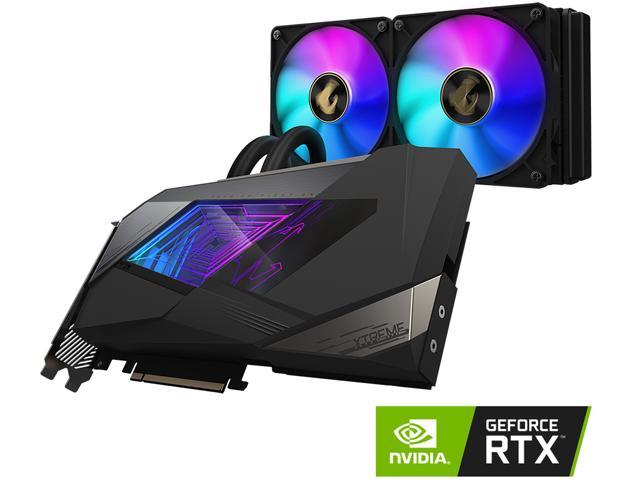
EVGA GeForce RTX 3080 12GB FTW3 ULTRA HYBRID GAMING, 12G-P5-4878-KL