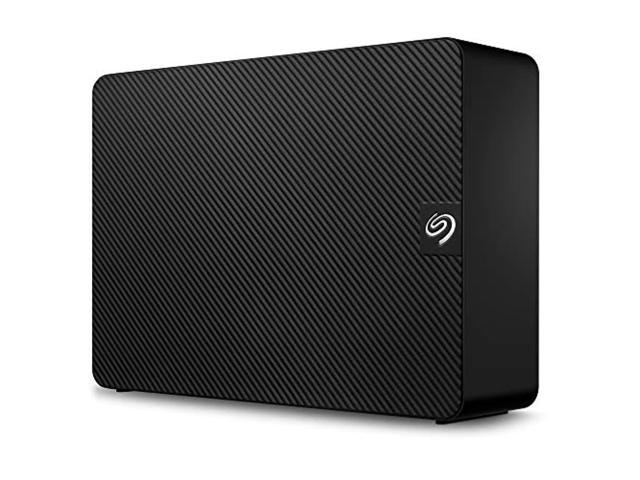
Pros: First, the basics. This is an “archive” grade disk in a plastic, fanless enclosure. It is not intended for gaming, video editing, high-demand NAS applications, etc. If that’s what you need, just go right now and search for something else. (Hint: It’s going to cost you more — that’s just how it is, you’ll have to deal with that or blame yourself when you set this drive on fire because you didn’t listen to me.)
This drive is a good place to put weekly backups, old DVD images that you just want to archive, maybe video editing projects AFTER they’re done that you just need to store. If your application sounds as demanding as this sort of thing, then this is a drive you might consider.
The pros here are easy: speed and size. I’m listing speed as a pro because this is not an SSD or even an internal drive. This is a USB 3.0 external drive, and for my tests, under ideal circumstances, it makes good use of that bandwidth and performs as well as you could expect. The size is, of course, 8TB which is as big as these things really get right now.
Here are the test results. Parts of what is listed might be considered negative; I’ll discuss those parts in the cons section below. This was all using Crystal Disk Mark.
9 rounds 100MB test:
Sequential Read: 190.1 MB/s
Sequential Write: 142.4 MB/s
Random Read 512KB: 83.6 MB/s
Random Write 512KB: 20.5 MB/s
Random Read 4KB: 1.7 MB/s
Random Write 4KB: 7.4 MB/s
This first test seemed to go haywire on the 4KB read, so I tried again:
5 round 50MB retest:
Random Read 4KB: 16.5 MB/s
Random Write 4KB: 7.3 MB/s
It was clearly a fluke, something made the drive hang on one of the nine passes bad enough to throw the average way off. It is clear that this drive struggles to do things like random R/W, especially smaller chunks. It’s not designed to do that. It’s a massive, inexpensive hard drive. What did you expect? Even when it struggled through the tougher tests, it didn’t get too hot (36 C).
I did a few more tests just putting some stress on it.
A file transfer of about 85GB of mixed media files (music and movies) ranging from 2MB to 4GB each. This test was constrained by speed of the older external HDD source, maxing out at about 35-40 MB/s steady ideally. The transfer ran at about 25-35 MB/s for larger files, about 15-20 MB/s for smaller, with regular peaking at 50ish and 8ish.
It hit about 40 C about 5-10 minutes in, then slowly climbed to 50 C for the rest of the transfer. That’s where I got a warning from disk monitoring utilities that the drive is getting close to serious heat, but not into critical levels.
The 85 GB transfer took about an hour, but as I said, this Seagate was not the bottleneck. Verification took about 25 minutes at 2.7 MB/s (that’s just a read through for checksum match).
Even after an hour, sitting still and powered off, it was still at 46 C — there is no fan, and even the passive cooling on this thing is awful.
Another file transfer, 6.6GB file copied from an internal SSD took 2 minutes, pretty steady at 100+ MB/s. This is what you expect from a USB 3.0 HDD like this.
I then formatted with encryption, the whole drive manually (including empty space). It took about 24 hours (which is typical and reasonable), and the temp plateaued at about 54 C.
Then I reformatted back to nonencrypted and loaded it up with a huge volume of mixed file types / sizes.
From a slower external USB drive, it managed 19 MB/s average (200 GB transferred).
From an internal drive, it got up to 103 MB/s average (500 GB transferred).
So it’s doing fine on transfer speed, although during both of these tests, when the drive is really going for a couple hours, it will hit 55 C or even a bit higher.
Cons: So first, I’ll point out that Seagate itself says its drives should not operate higher than 50 C. I think running at 55 C is probably not a death sentence or even a big worry, but it is an issue. Keep in mind, this was a brand new drive with more than adequate ventilation. Stack up a few of these, or accidentally drop a hand towel on top of it, the heat will become a serious issue.
But, frankly, this drive runs hot. If you are writing out a big set of data, doing large backups, etc. — even tasks this drive is meant for and in idea conditions — this drive will get quite hot. Hot enough to have a meltdown and die? Probably not. But hot enough to shorten the lifespan of the product and/or increase the risk of data loss or other issues in the future? Maybe. I guess Seagate didn’t want to raise the price of drives by $5 each by putting in just a little fan or anything. That brings me to problem number 2…
This drive has a one year warranty. An external drive, put together in a nice little package, something that Seagate should be entirely responsible for. They can’t back it up for more than one year? Maybe they are going to fail too often, or maybe somebody doing the actuarial tables over there thought they’d save enough money denying RMAs in month 13 to lower the price on this thing. But as a consumer, I don’t care about statistics or bottom lines, I care about the quality of the goods. This warranty is just plain not good enough. The fact that the item doesn’t even appear to exist anywhere except a couple online retailers. If Seagate doesn’t list this product and doesn’t offer much of a warranty on it, that makes me worry. I’ve been on the wrong end of RMAs and I think Seagate has a mediocre track record, at best. (Not that there aren’t WAY worse ones out there, but I won’t name names.)
The speed (see above) is not great for random R/W, particularly in small chunks. This disk is what it is — good for archival uses. However, higher quality 8TB drives exist, and external enclosures for such drives exist. I find it hard to argue that this drive has a special purpose that justifies its less-than-average performance if the value isn’t there. The price on 8TB drives is coming down, and I’m not seeing much value here, especially considering the other two points I’ve made (heat/bad enclosure and warranty length).
So I’ve listed speed as a pro and a con. It’s up to you to decide how you want to split that hair. Again, it’s a matter of value vs. quality, or maybe it’s a bit of luck — choosing a brand, model, size, speed, etc. for a drive is tricky but sometimes it comes down to luck when it comes to DOAs or early drive failures. If this product is the right product for you, that’s good, but it might also be that some other product can do the job (or even better jobs) at a similar price. That’s the “shopping” aspect of this that a single-item review like this can’t help you too much with…
Overall Review: I had a tough time deciding between 3 and 4 stars, but I eventually made my decision because this drive is new and already seems like it’s going to get made obsolete before it’s even useful to somebody. Wait a month and buy something better, or put together something better yourself for an extra $20. I don’t see this drive becoming a staple of people’s desktop PC tech before it’s already too slow, unreliable, or unnecessary compared to better options, which are already creeping down into the same tier of affordability. That’s -1 egg.
The other -1 is for the warranty, not just because such a warranty automatically gets you -1 egg. Really, it’s how that 1-year warranty appears in this situation. The “optics” if you know that new use of the term. This is a value-priced item that has nearly cutting-edge size. It comes in an enclosure that has poor passive cooling and no active cooling (and as we see, a heat issue). Replacing (or even opening) the case voids the warranty. Operating the drive above 50 C doesn’t void the warranty, but it’s not what Seagate recommends. So it’s a little box of contradictions, and that worries me, especially given that we know it isn’t the most mechanically adept device (hence the low speeds on the random R/W 4KB chunk tests). And, to be honest, the DOA reports I see when I look at reviews in aggregate make me think that the -1 for insultingly short warranty period says something about how little Seagate expects you to get out of these drives. For a drive that might serve as a backup, keep that in mind. Back up your cat photos here, and when it dies, your PC will survive long enough to get a replacement external HDD. Don’t back up critical stuff. And let’s be real. We all have 8TB of cat photos, right? Maybe that’s just me.
If I could, I’d give it 3.5 eggs, because together, I don’t think these two issues are worth a full egg each for -2. There’s enough good going on here that it’s better than the average 3-egg review I might give. But I can’t say it earned a full 4 eggs. (Shouldn’t egg-based reviews be out of 6 or 12? That’s how I buy my eggs.)
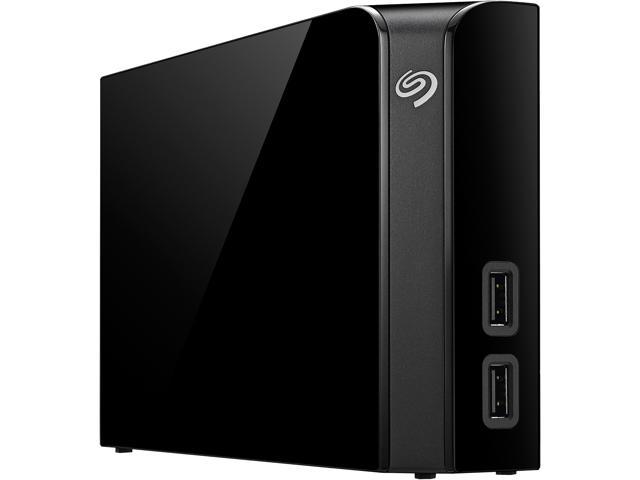
Newegg EggXpert reviewers like me receive this item for free, so keep that in mind. We try to keep our reviews honest, and I hope this one has been honest. This is an item that’s trying to split the difference between low-budget consumer needs and hitting that nearly-cutting-edge mark of 8TB. That’s tough, and you can’t blame Seagate if this isn’t a perfect product — if you buy this, you aren’t willing to pay for the most perfect item out there (which would be some sweet $600 8TB drive that has stellar support, great QC, 5 year warranty, and an extra $90 for the most awesome external enclosure that exists). There are other options, with Seagate or otherwise: You can always try Seagate’s other lines (e.g. “Backup Plus”) which now also come in 8TB. Or buy a Seagate internal drive (“archive” grade or regular) and throw it in an enclosure.
But for the price, if you think this works for you, and you’ve read my review (and others) and think you want to go for it, I wouldn’t recommend against it. This drive could very well be what you need. Just be sure you’ve thought it over, because it’s not general purpose and it may not be up to the task (or might be too much of a rolling-the-dice situation in terms of quality). That’s for you to decide.
Keep in mind we EggXperts also can’t wait too long to review. I’d love to run this product hard for a year and let you guys know that it lasts long, but I’ve only had it for about 20 days. For all I know, every single one of these lasts 100 years … or maybe every single one dies on day 21. Longevity is very unpredictable for products that are new to the market or are hitting new high marks in size, speed, etc. (or low points in price).
And if you’re wondering about this “line” of drives, you can always uncheck the box that says “Item Specific Reviews” and you’ll see all the ratings for this drive in every variation (in this case, in every size). For some things (e.g. headphones that come in different colors), this is a MUST when you want to read reviews right. For these drives, it gives you a good idea of how reliable or good the NON-drive parts of this product are. It won’t tell you about this 8TB drive though, which itself is VERY different from its 2-5TB cousins.
Oh and one final thought — the software that comes with drives is, and has been for 20 years, totally irrelevant. Don’t even bother. Some of the diagnostics are mildly useful, but the backup software etc. are not worth your time. If you are serious about backups, you need to pay for the software separately. Don’t make your decision based on what comes with the drive.




 Eggxpert Review