
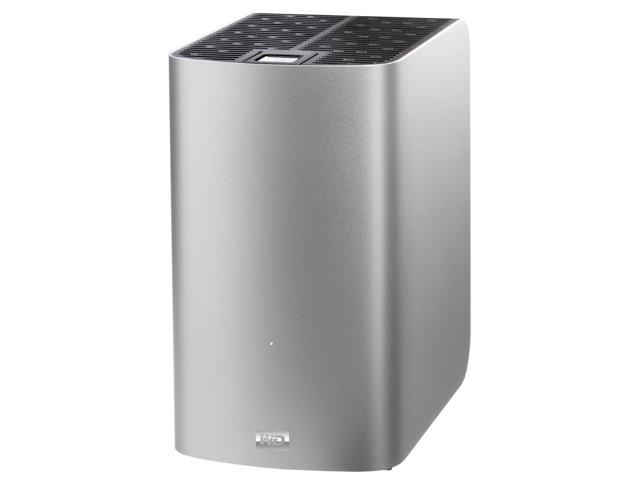
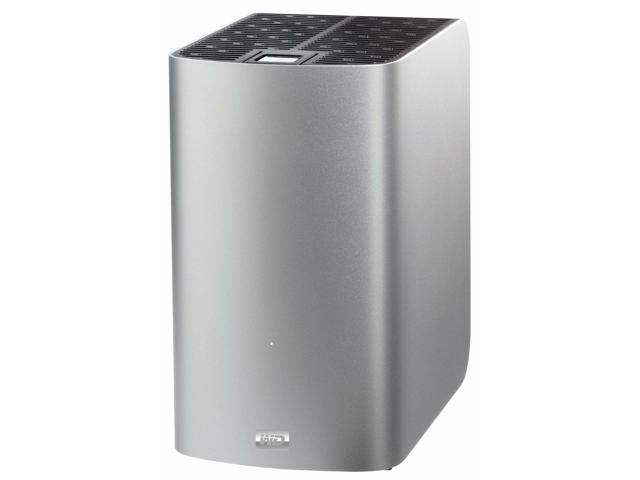
WD Elements 3TB USB 3.0, Micro-B External Desktop Storage WDBWLG0030HBK-NESN Black
SKU: 9SIAA9UH882593Thương hiệu: KHAC
Liên hệ báo giá
Liên hệ
Vui lòng liên hệ để nhận báo giá chính xác theo cấu hình.
Điện ước tính: 86 kWh/tháng · ~280.800 ₫/thángTính TCO chi tiết
Bảo hành 36 tháng
Chính hãng
Giao sau 10 ngày
Toàn quốc
Hỗ trợ kỹ thuật
24/7 qua hotline
Hoá đơn VAT
Đầy đủ, đúng hạn
Máy lắp vừa linh kiện này
tham khảo theo thông số trên tên hàngMô tả sản phẩm
var ccs_cc_args = ccs_cc_args || []; ccs_cc_args.push([‘mf’,’Western Digital’]); ccs_cc_args.push([‘pn’,’WDBWLG0030HBK-NESN’]); ccs_cc_args.push([‘upcean’, ”]); ccs_cc_args.push([‘lang’, ‘en’]); ccs_cc_args.push([‘market’, ‘US’]); (function () { var o = ccs_cc_args; o.push([‘_SKey’, ‘1b1e8766’]); o.push([‘_ZoneId’, ‘faa3fafd5b’]); var sc = document.createElement(‘script’); sc.type = ‘text/javascript’; sc.async = true; sc.src = (‘https:’ == document.location.protocol ? ‘https://’ : ‘//’) + ‘cdn.cs.1worldsync.com/jsc/h1ws.js’; var n = document.getElementsByTagName(‘script’)[0]; n.parentNode.insertBefore(sc, n); })();
Learn more about the Western Digital WDBWLG0030HBK-NESN
| Brand | WD |
|---|---|
| Series | Elements |
| Model | WDBWLG0030HBK-NESN |
| Color | Black |
|---|---|
| Interface Interface | USB 3.0, Micro-B |
| Capacity | 3TB |
| Features | Transfer files faster than ever When connected to a SuperSpeed USB 3.0 port, WD Elements lets you access and save files faster than ever. Transfer a 2-hour HD movie in just 3 minutes instead of 13 minutes. * Performance may vary based on user’s hardware and system configuration. Massive capacity Free trial of WD SmartWare Pro backup software Improve PC performance Universal connectivity Plug-and-play simplicity WD quality inside and out |
|---|---|
| System Requirements | Available USB port Windows 8, Windows 7, Windows Vista, Windows XP May be reformatted for Mac OS X Mountain Lion or Lion Note: Compatibility may vary depending on user’s hardware configuration and operating system. |
| Dimensions | 6.50″ x 1.90″ x 5.30″ |
|---|---|
| Weight | 2.0 lbs. |
| Package Contents | Desktop hard drive USB cable AC adapter Quick Install Guide |
|---|
| Date First Available | December 09, 2021 |
|---|
Poor man’s RAID13/30/2021 7:51:12 AM
Pros: Low cost storageSimple: no data encryptionFast enough for me
Cons: With no built-in fan, it runs warm
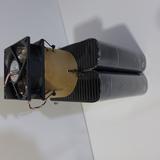
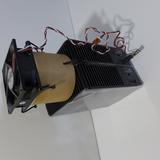
Overall Review: Bought two 10 gig on sale to build a poor man’s RAID1. I’m a recording engineer and I need to backup my WAV files. (You’d be surprised how often I get the “do you still have that recording you made for me 4 years ago” call) I didn’t want any hardware encryption ala the My Book Duo and its associated horror stories, just backup. Zip tied two of these together, and use FastCopy to move the files.Since these have no built-in fans, the drives run a little warm. It’s probably OK, but my OC nature was looking for reassurance. So with more zip ties, I added a 80mm fan on top of the two enclosures. I used a magnetic bearing fan that runs super quiet (as a recording engineer, I hate loud fans). Wanting to get the fan away from the drives, I zipped the fan on top of a “chimney”. (Zip ties: the engineer’s duct tape.) Probably not necessary, but remember I’m Mr. OC. The fan runs || with one enclosure’s power supply. Looks janky but works great: cool, quiet, cheap. Now I’m just hoping both drives don’t die at the same time.
You’ll be sorry….I know I am.7/18/2021 6:52:06 AM
Pros: Worked out of the box
Cons: Did not last two years
You may or may not be able to obtain warranty service.
Overall Review: It worked fine, I only used it twice for two total system backups. The rest of the time it sat on a shelf unplugged waiting to be used for a third time. I use a 5TB drive for incremental backups.
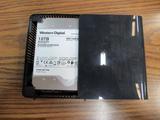
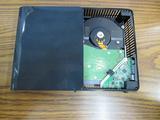
When powered on system did not recognize it. I RMA’d it only to have WD say the drive had been TAMPERED with, absolutely no other explanation given. I was also sent the above pics from the RMA team, to show what? I have no idea. This is real unacceptable behavior from them. So much for standing behind your product and taking care of a lifelong (since early 80’s anyway) customer. NO more WD drives for me or you I hope.
Manufacturer Response:
Hello Eric E.,
We’re sorry to hear your user experience with the WD Elements Desktop Drive and appreciate your time for providing this review.
We would appreciate the opportunity to gather more information from you to ensure all our customers receive the product they are expecting.
All our products must pass our stringent quality standards before leaving our factory to be free from defects in materials and craftsmanship. We stand behind our products throughout the device’s factory warranty period. You can contact us directly via phone to address any questions or concerns to ensure a good overall user experience.
Need Help? Please see our “‘Contact Us” page for information.
Excellent 10TB external drive – purchased March 20203/13/2020 9:28:35 AM
Pros: Large, inexpensive, does not use WD proprietary hardware encryption (like the My Book series), passed initial diagnostics with flying colors, operating fine (but I’ve only had it for a couple of weeks so far).
Cons: None.
Overall Review: When I get a new drive, internal or external, the first thing I do is a complete set of diagnostics, including a surface test for bad sectors (this takes a LONG time on a 10TB drive, but I do it anyway). This drive had no issues whatsoever, including no bad sectors (now, I did NOT dive deep enough to determine if any sectors were mapped out already by the manufacturer).
I didn’t measure performance, since I am using this as a backup drive for an older computer, so it doesn’t matter (and any measurement on this older computer would not be useful to anyone here anyway), but the performance seems as expected.
BTW, I avoid the WD My Book series, since My Books use proprietary hardware encryption built into the drive controller inside the enclosure, which means if the electronics in the enclosure fails, you’re sunk… data inaccessible… you can’t remove the drive and connect it directly to a SATA connection and access the drive. While I don’t buy external drives to shuck them, I want the option in case of electronics failure.
If I have any issues in the future, I’ll update this review. If I haven’t updated it, that means no issues.
Anonymous
Ownership: 1 month to 1 year
Verified Owner
Quality4/20/2019 8:23:57 AM
Pros: 8TB
Cons: none
Overall Review: shuckable with White label WD80EMAZ inside
WD Elements 10TB USB 3.0 Desktop Hard Drive Black WDBWLG0100HBK-NESN, purchased from Newegg8/18/2020 2:56:06 PM
Pros: It seems to function fairly well for short runs before it has a chance to heat up. It would make a good space heater for a cold room. It’s nice looking and would make a nice paperweight.
Cons: I made the mistake of buying this when it was on sale for what seemed a very good price, and because the Newegg reviews were very positive.
What I didn’t know was that originally this extermal drive was sold with a very nice helium filled hard drive inside the case that ran very cool and quiet, but WD now has replaced that drive with a cheaper air filled drive which runs hot, hot, HOT!
Idling it goes up to about 55 deg C in an air conditioned room, ambient temp about 23 deg C. It has reached 58 deg C running a light file transfer.
When I saw the temp in SMART I was shocked and did some internet searching and found various articles and found out what had happened, that WD had replaced the good internal drives with the current ones, the WD101EMAZ-11G7DA0 drive. Incidentally, it doesn’t seem to exist on WD’s website.
Guys who “shuck” these drives, that is, take the drive out of its case, find the current drives run unusually hot… even bare and in cases with good air flow. Very different from the original version.
I contacted WD customer support about the drive I bought but they were not much help. One CSR didn’t want to get into temperature at all, just wanted me to run a WD Windows test program and also let me know that the drive is not intended for Linux. Like an external drive, connected to the computer via USB, is going to give the computer a social disease or something.
Their Windows test program, incidentally, uses SMART but does not give any specific results, just pass/fail. Brilliant!
Overall Review: Well, never say never, but between this and the WD SMR fiasco I don’t see any new WD drives in my future.
I do not recommend this external drive for any purpose whatsoever.
Manufacturer Response:
I am sorry to hear about your experience with our WD Red drive and thank you for bringing this to our attention. If the drive is not performing as expected in your environment, please refer to the WD support page for additional information.
“What are the currently shipping SMR Drives”
Search for knowledge base article: 29458
Need Help? Please see our “ Contact Us” page for information
Great external OR internal drives7/7/2019 2:23:56 PM
Pros: Fast backup speeds initially – starts at 180 MB/s then eventually when filling drive drops to 110 MB/S
Drives Quiet
Stay Cool
White Label Helium Drives
USB 3
Cons: 5400 RPM drives
Overall Review: White label Helium Drives at 5400 RPM. PERFECT for backup running about 170 MB/s. I used to have Seagate External hard drives but when they went to 8TB, their reliability and speed went down. Switched over to these and never looked back. Bought several 8TB and 10TB versions for server backup which then is offsite backup.
Highly Recommend!!
Simple, no fuss storage10/20/2020 12:56:14 PM
Pros: Relatively simple, large archival storage option.
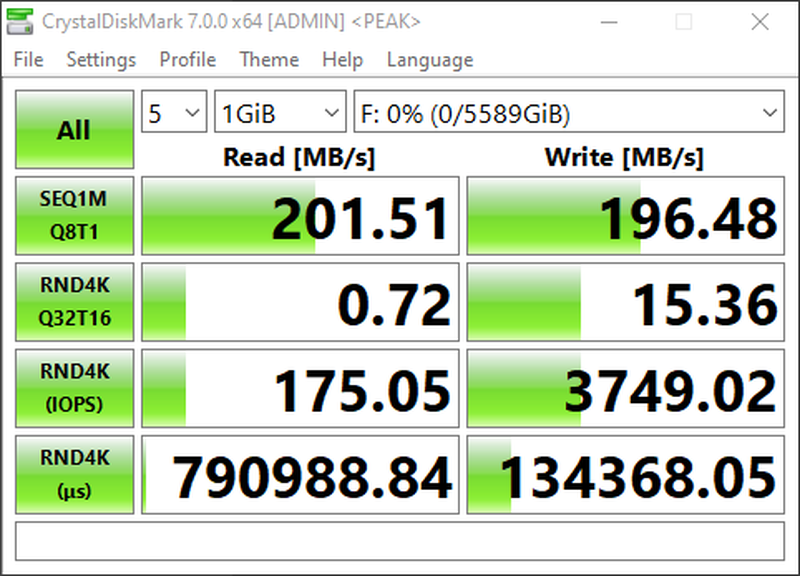
Decent performance, beats out my 8 year old 2TB internal 7,200 rpm drive by about 100MB/s
Quiet
Cons: – Power adapter is dimensionally bulky and partially occludes one of the neighboring plugs on my UPS
– 5,400 rpm drive not suited for performance applications
Overall Review: Since this utilizes a 3.5″ drive internally, it is possible to convert it to an internal drive (“schucking”).
WD Element HD1/17/2015 11:33:22 AM
Pros: – Easy Set up
– Low Price for High Capacity Hard Drive
– Quick transfer rate speed
Cons: none
Overall Review: Did around 2TB worth of files transferring at an average of 95-100 mb/s
Điểm nổi bật
- Fast data transfersHigh-capacity add-on storagePlug-and-play ready for Windows PCsWD quality inside and out
Sản phẩm tương tự
Khách hàng cũng xem